Weekly Recap: Upgraded Memory Mates, Event Tag Email Notifications & Capture App 6.0 🏆📱

Hey photo friends! 👋
Candy here with another weekly recap! The Memory Mate upgrade we mentioned a few weeks ago is here, along with a new way to notify customers when you add Events to a Public Event List. We’ve also released Capture App 6.0, added more product previews, and made several improvements around the Dashboard.
Let’s jump in!
🏆 Memory Mates Get an Embellished Upgrade!
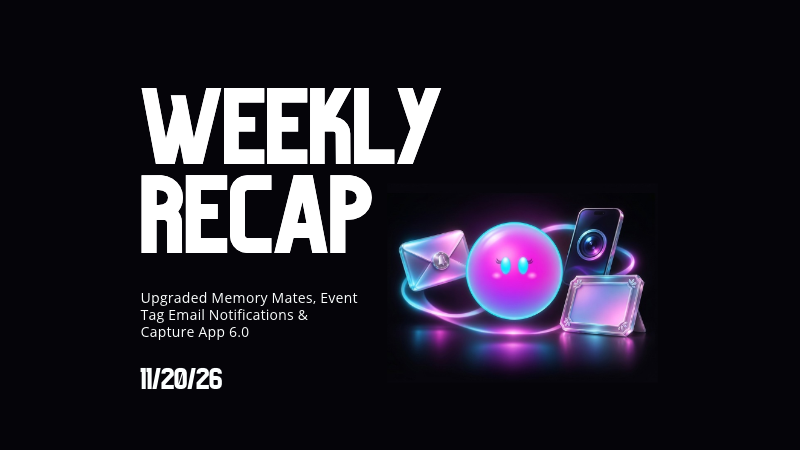
Memory Mate Print and Memory Mate Plaque now feature four new varnished, embellished styles, with live 3D previews to help shoppers see the finished designs.
✨ New embellished finishes — The updated styles add depth and shine, similar to our Premium Print.
🌀 Live 3D previews on retail — Customers can preview their customized Memory Mate, with 2D renders used when needed for performance.
🖼️ Updated plaque construction — The print now sits flush against the plaque, replacing the previous four-pin design.
✅ Your Offers are already updated — Existing Memory Mate Print and Plaque products have been replaced automatically, so you don’t need to swap anything yourself.
The product cost has increased by 95¢ for both the Print and Plaque. The Memory Mate Download product is unchanged.
👉 Explore the new Memory Mate styles in 3D
📧 NEW: Event Tag Email Notifications
If you use a Public Event List for a school, league, or organization, customers can now receive email updates when more Events become available!
To enable this, open your Event Tag Details page and click the new email-icon button at the top.
Here’s how it works:
👤 Visitors provide an email before viewing the list — Enabling notifications adds an email requirement to that Event Tag’s Public Event List. Quic.Pics accounts are supported.
📅 Updates go out on Sundays when there’s something new — Emails send when the Event Tag has new Events with at least one visible image.
✉️ Customers aren’t repeatedly notified about the same Event — Each email only includes qualifying Events the recipient hasn’t already been emailed about.
📋 Collected contacts and history are available in the Dashboard — View collected emails on Event Tag Details, with additional information in the automatically generated Client Outreach Reserved List.
This feature sends emails only, and standard Client Outreach email pricing applies.
It’s a useful option when you keep adding games, performances, or other Events to the same public list and want customers to know there are more photos to browse.
📱 Capture App 6.0 Is Here!
Available through an App Store or Google Play update for iOS and Android.
Version 6.0 brings the QuicPics rebrand into the Capture App, along with new camera controls, searchable PhotoTags, and several fixes for shooting and check-in.
🎯 Tap to focus with the internal camera — Tap the area you want to focus on before taking the photo.
🔎 Search PhotoTags in Name Lookup — The PhotoTag selector now opens a popup with a search bar, making it easier to find the right team or group in a long list.
✂️ Background Removal folder reminders — When you log back into a folder previously marked for Background Removal, a reminder makes that setting clear.
📱 Updated phone navigation and QuicPics branding — Phones have a new navigation bar, including Liquid Glass navigation on iPhone. The app now uses a single dark theme with a black background.
📷 Camera and Photo Booth fixes — Fixed the internal camera occasionally missing the first shutter press, and restored access to downloaded Photo Booth backgrounds while offline.
⚡ Performance improvements throughout the app — Version 6.0 includes improvements across the Capture App.
Before updating: the minimum supported iOS version is now 16.4.
🛍️ More Products Get Personalized Previews
Shoppers can now see render previews for Spirit Sticks, Spirit Noggins, Canvas Wraps, and Wall Clings!
😊 Face-based previews for Spirit Sticks and Spirit Noggins — The preview uses the largest detected face when an image contains multiple faces. If no face is detected, it shows the generic product thumbnail.
🖼️ Animated Canvas Wrap and Wall Cling previews — These products now include an animation when opened in the product configurator.
A note about the finished products: Spirit Stick, Spirit Noggin, and Wall Cling previews are a guide. Final production involves decisions made by the lab, so the delivered product may differ from the preview.
🖥️ Dashboard & Virtual Group Updates
🪪 New Positive ID card ordering option — The PDF generator now has a Card Order setting with Alphabetical and a new Stacked option.
🎨 More Virtual Group color controls — Color pickers are now available for Cutout Fade and Bottom Vignette.
👁️ Hide saved logos — You can now mark uploaded logos as hidden if you don't want to look at them anymore!
🤖 Virtual Groups are excluded from Auto Edits — Assembled Virtual Group images will no longer be processed by Event-level or folder-level Auto Edits.
📥 Receipt Downloads & Check-In Fixes
🔄 Resubmitted orders update their rendered downloads — The Web Receipt Download Page now automatically switches to the new rendered download links when an order is resubmitted.
💬 Clearer help for expired downloads — If rendered download links have expired without a resubmission, the page now directs customers to ordersupport@quic.pics or (877) 688-7427.
🤳 Selfie Check-In upload safeguard — Registration is now blocked during the rare situation when the upload service is unavailable, preventing check-ins from proceeding while selfies can’t be uploaded.
That’s the week!
Take a look at the new Memory Mate designs, and if you regularly add Events to a shared Public Event List, give the new email notifications a try.
Keep creating magic,
Candy 🍬
Bonus note from JC3:
🧪 Introducing QuicSites: A Place to Try Something New!
We’ve launched QuicSites, a new home for helpful tools, niche photography resources, experimental features, beta projects, and a few things we made just for fun!
Some are handy for specific jobs, while others give you a chance to try out ideas we’re still developing. Some of these Sites may eventually become part of the QuicPics Dashboard, but for now, we’re giving them a place of their own while we explore what’s possible and what people use the most.
Take a look around—you might find something useful for your next Event, or something you didn’t know you needed.
And definitely check out the Arcade. That one’s particularly fun… 👀🎮