Weekly Recap: Tap-A-Face from the Dashboard & Smarter Roster Contacts 👤✨


Hey there, photo friends!
This week’s updates are small but mighty—because behind the scenes we’re cooking up some bigger projects that we can’t wait to share with you soon.
For now, here’s what’s fresh in your NowCandid™ Dashboard:
👆 Tap-A-Face… from the Web Dashboard!
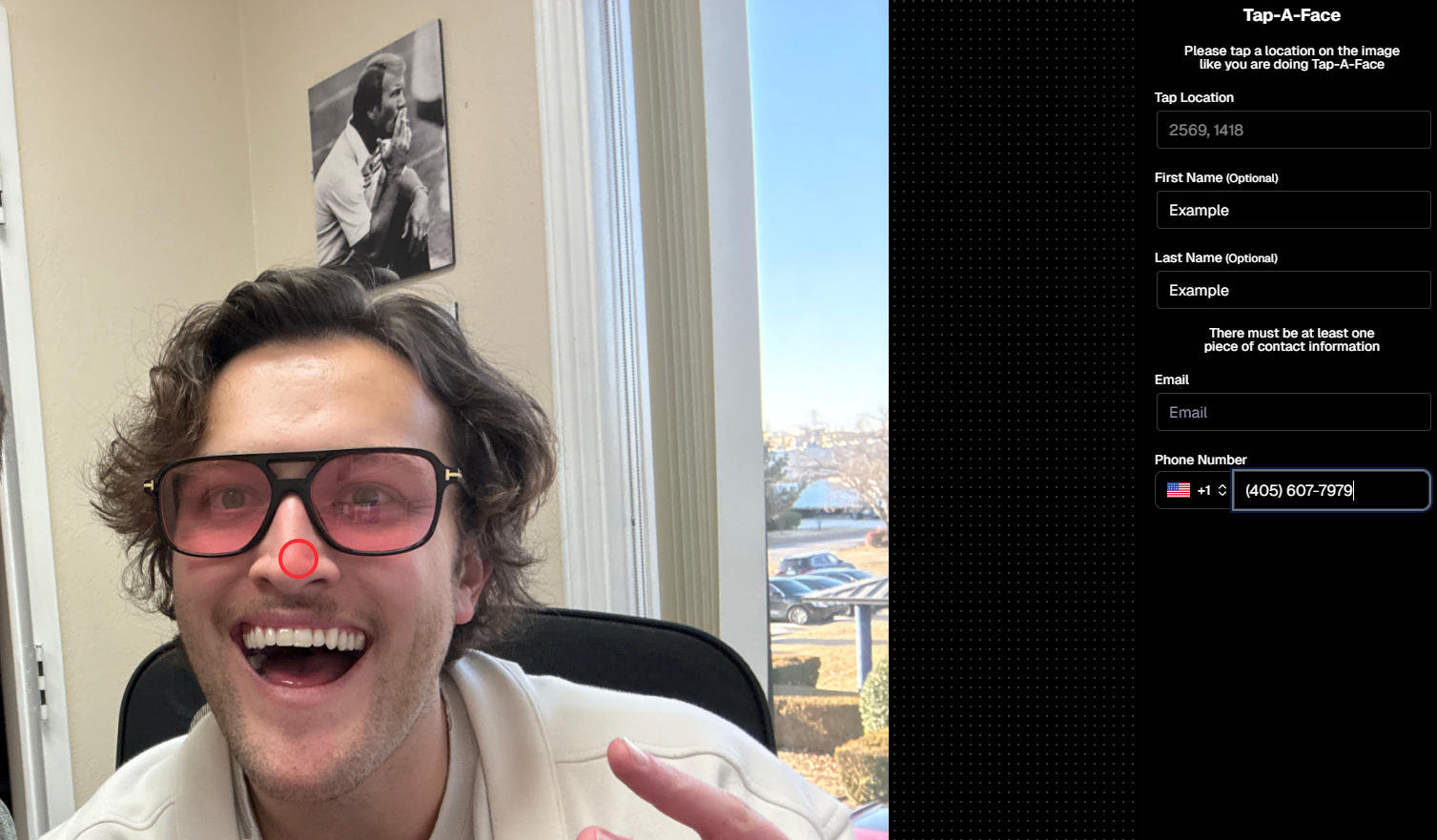
You’ve always loved Tap-A-Face in the field—now you can do it right from your Dashboard.
From any image’s Image Details Page, head to the Participants tab and click the new Add via Tap-A-Face button. From there:
- Click a spot on the image where a face is
- Enter the contact info for the person
This will instantly create a new Participant in your Event, kick off Face Matching™, and start marketing their gallery right away. 📸💌
📇 Roster Contacts, Upgraded
Contacts you add through Rosters are now much easier to work with! They’ll behave just like your regular Contacts & Participants—meaning:
- They’re fully editable
- They can be assigned multiple images without the previous first-image requirement
No more clunky workarounds—just smoother, faster contact management. 🙌
This change will also improve adding Contacts via the "Create Participant" button, as well as Contacts who add themselves to the Event via a Positive ID Event's Simple Check-In.

That’s it for this week!
Stay tuned—because some very cool things are coming your way soon. 👀✨
Keep being amazing,
Candy 🍬