Weekly Recap: NowCandid Docs Are Here (60+ Pages), Capture App 5.6, and Smarter Retail + Dashboard Tools

Hey photo friends! 👋
This week’s updates are packed with improvements that make your day-to-day workflow smoother—especially if you like clear answers, fewer edge cases, and cleaner experiences across Capture, Retail, and the Dashboard.
The headline this week: NowCandid Docs are officially live inside the Dashboard—and they’re already huge. Let’s jump in. 💫
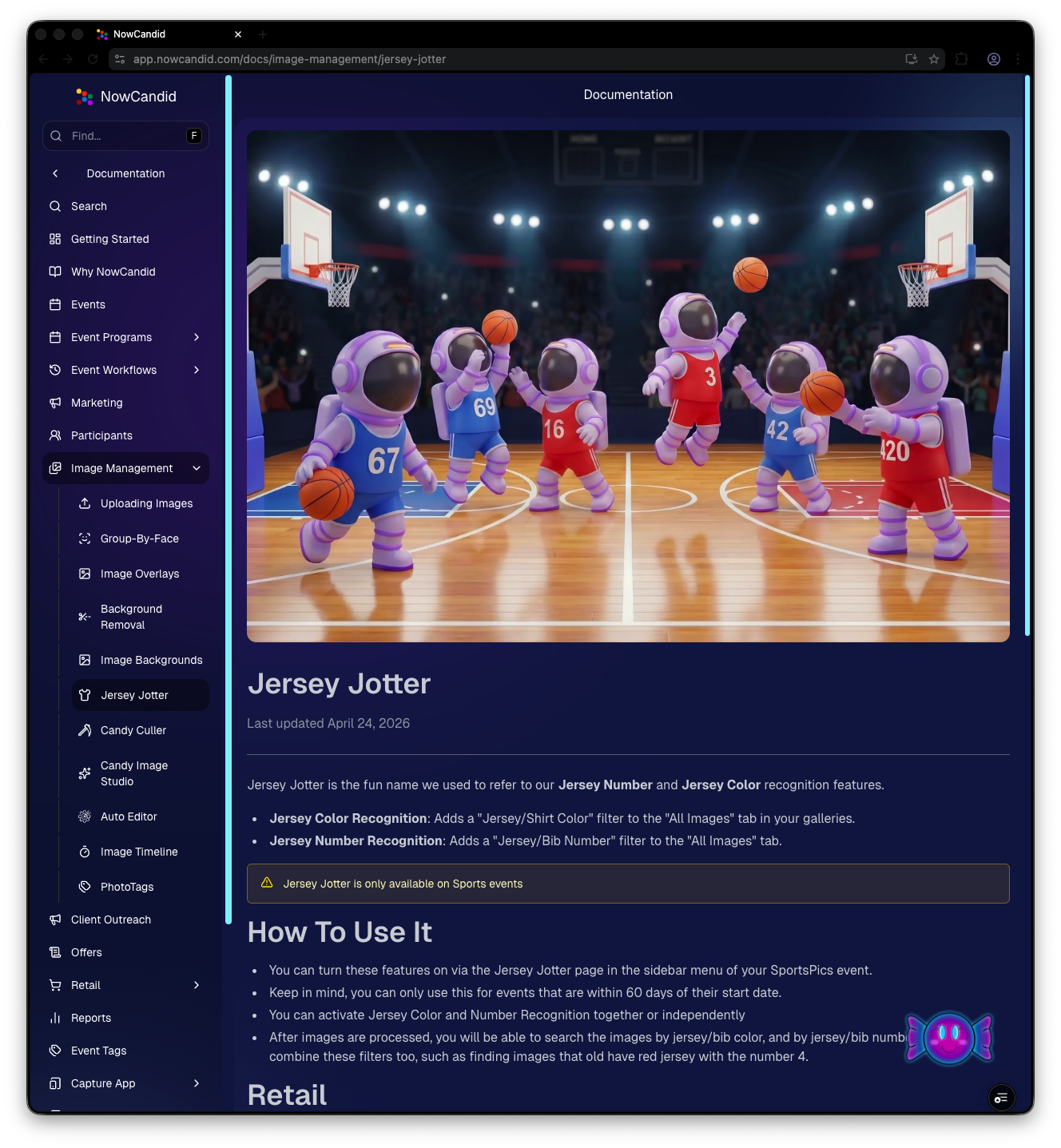
📚 NEW: NowCandid Docs (Built Into the Dashboard)
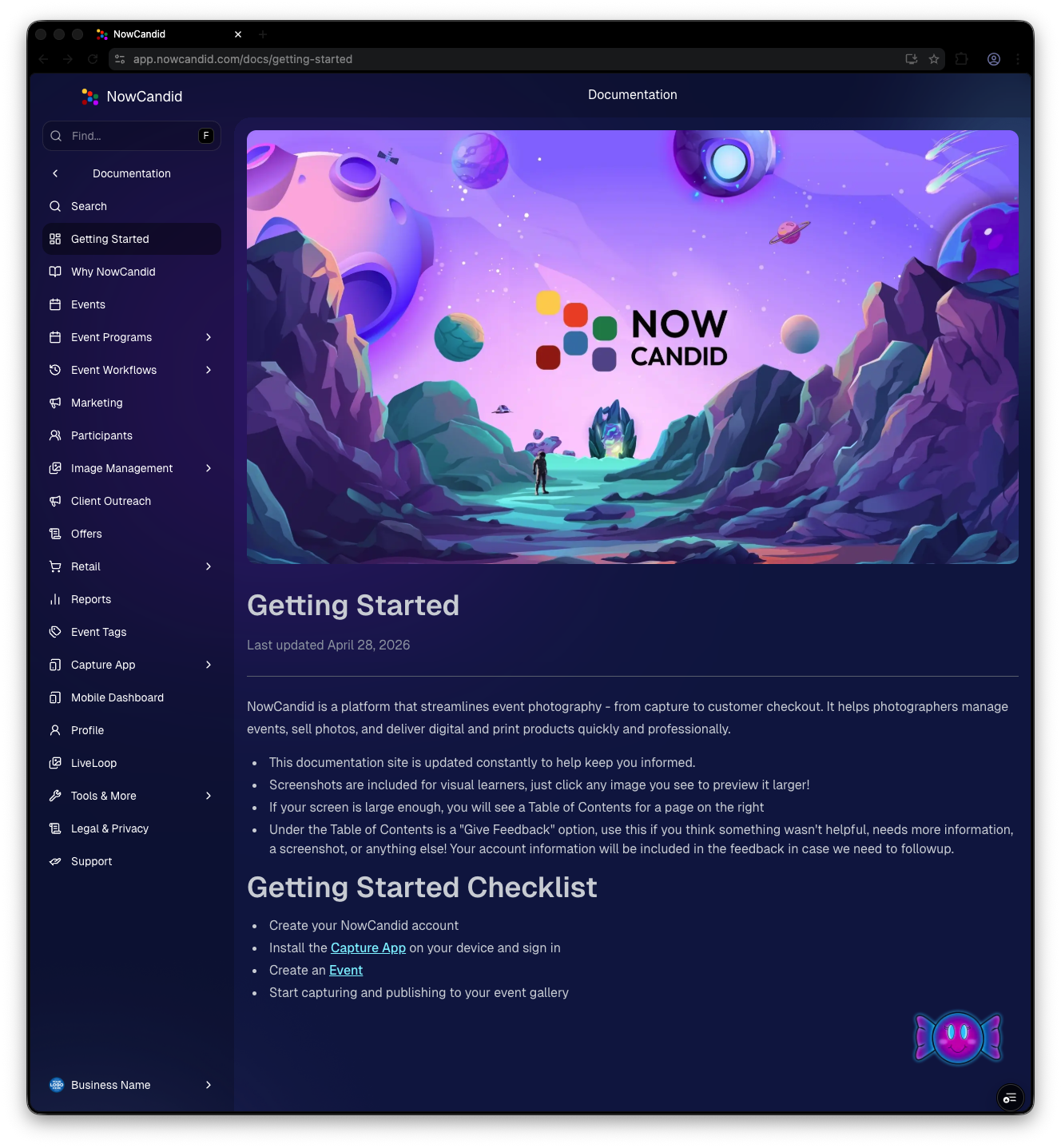
We’ve launched official, up-to-date NowCandid documentation directly inside the Dashboard. Just click “Docs” in the sidebar to open it.
Here’s what makes it special:
- • One dedicated place for everything: programs, workflows, Capture App, JerseyJotter, Candy Culler, and more
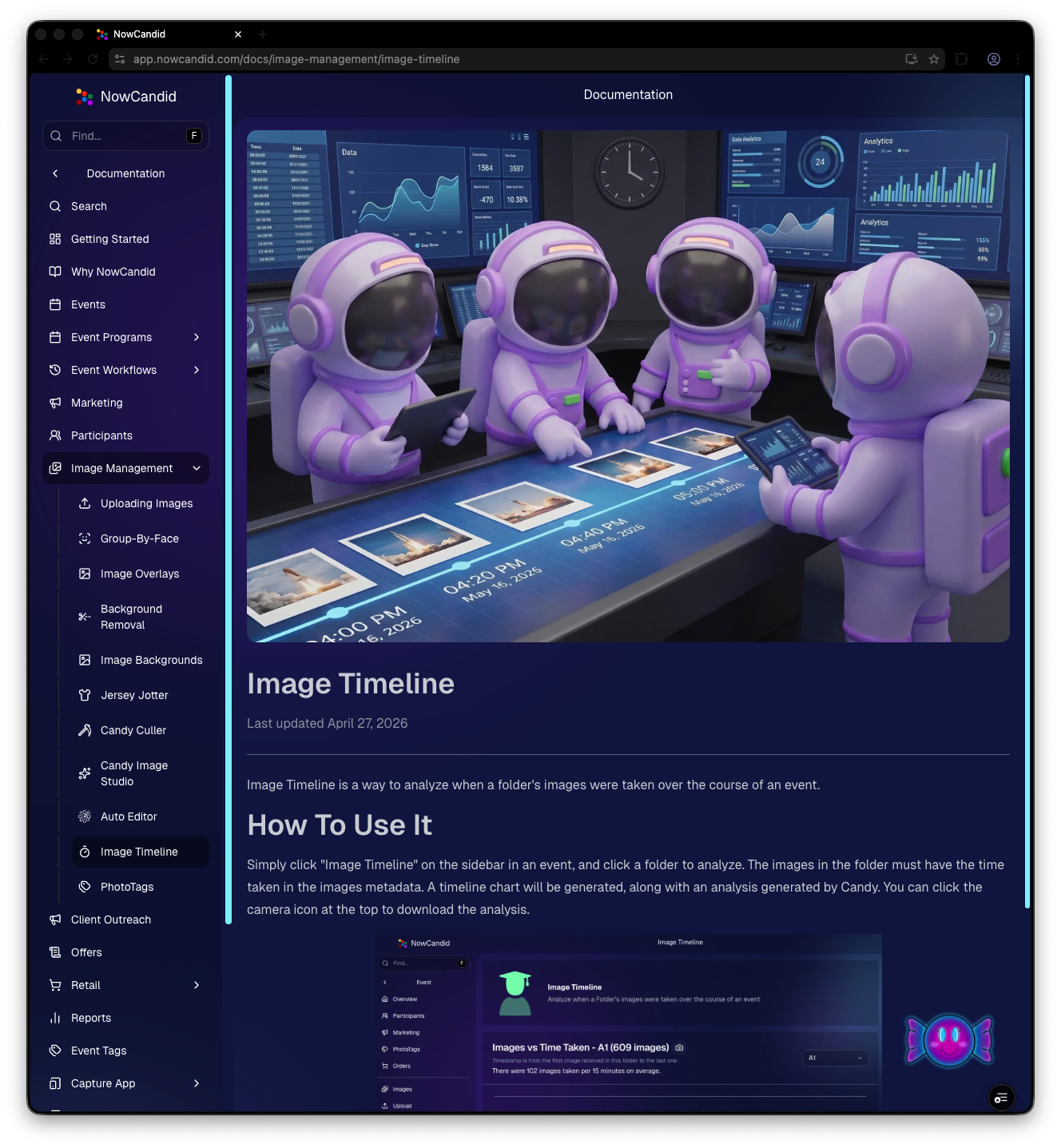
- • Over 60 pages of documentation already (with screenshots and even some videos)
- • Regular updates, with a timestamp on each page showing when it was last updated
- • Smart Docs search (use the search button at the top of the Docs sidebar)
- • Mobile supported: works fully inside the Mobile Dashboard app
- • Clickable images: click any image to preview it bigger
- • Table of contents + feedback: on larger screens, you’ll see a right-side table of contentsand a “Give Feedback” button to report missing info, typos, or confusing sections
- • Private by default: you can share a docs link, but the viewer must be logged in to access it
🍬 Candy got smarter (because Docs exist)
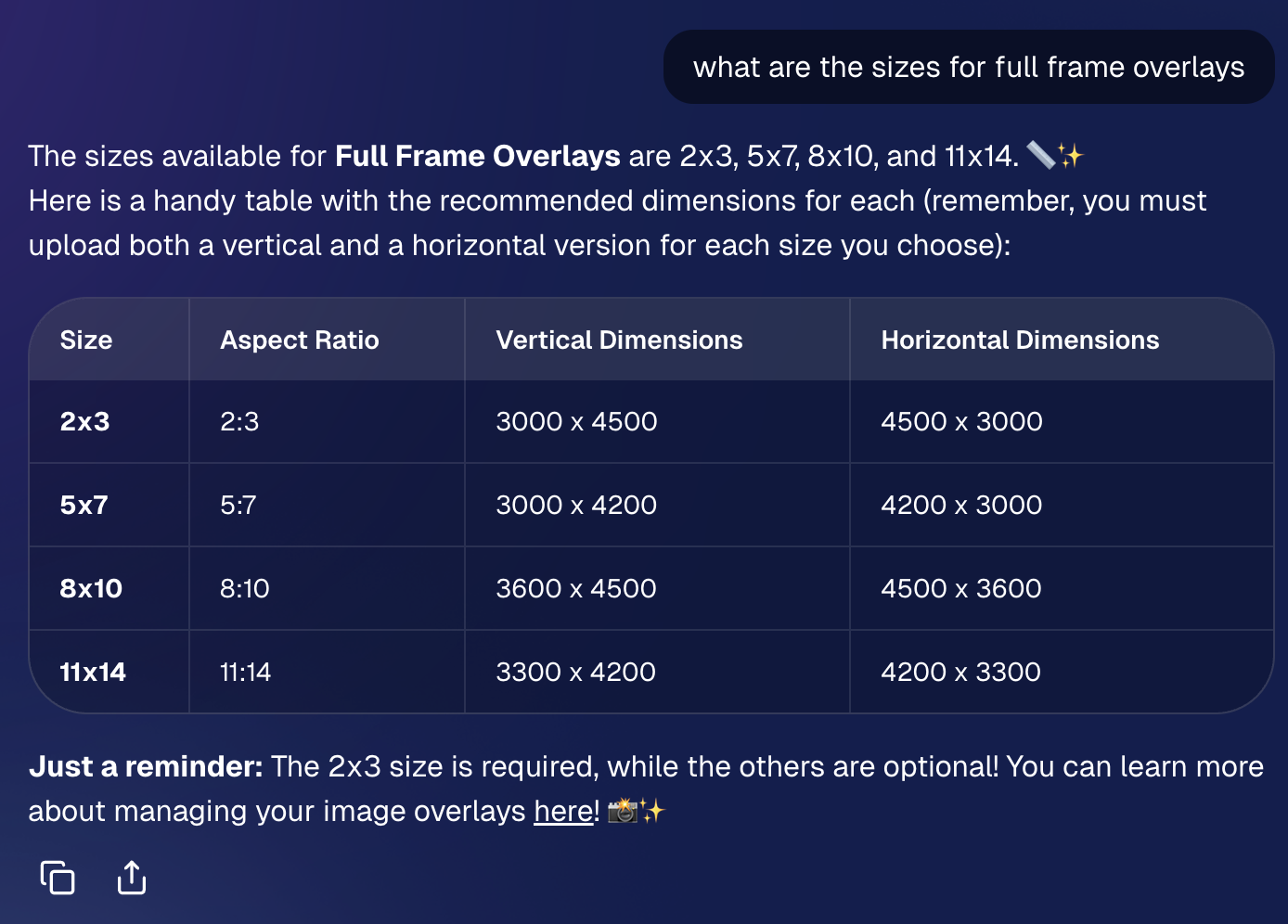
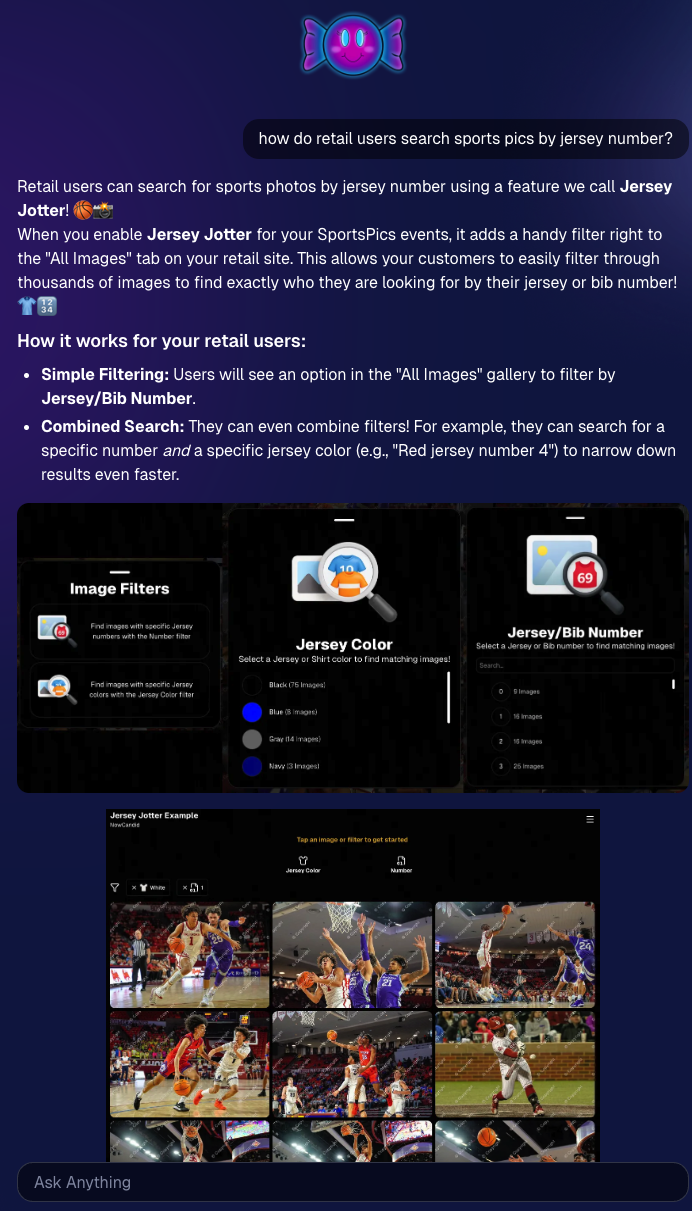
Candy now pulls from the new Docs when answering questions—so she can:
- • Share direct links to guides
- • Pull relevant screenshots and videos
- • Give more accurate, up-to-date help
Also, the Candy Navigation Assistant now uses docs search as the fallback destination if it can’t find a page you’re looking for—often with your question prefilled!
📱 Capture App 5.6 (iOS & Android) — Not OTA
Capture App v5.6 is now available for iOS and Android (this is not an OTA update).
What changed:
- • Fix: Android “Update Available” popup now correctly links to Google Play, not the Apple App Store
- • Feature: The app now rejects images under 1,000 pixels with an error popup (similar to the color profile error). The Dashboard already enforced this, but this prevents rare edge cases—like a camera outputting low-res images during capture.
🛍️ Retail Improvements (Better behavior, clearer checkout)
A few retail updates landed that improve clarity and fix edge cases:
- • BGR + PhotoTags fix: Background removed images in PhotoTag events will now show correctly even if the originals are marked invisible
- • Pay Later badges removed from the store sheet (the “Pay Later Options Available in Checkout” messaging still appears in package configurators for packages $30+)
- • Z-cropped images now show faceboxes (and the faceboxes are adjusted to the z-crop, too)
- • Checkout completion screen now shows your Business Logo (if you’ve added one)
- • Updated “Your order is complete” copy to note:
- retouching may delay orders
- physical products typically arrive in 7–14 business days
🖥️ Dashboard Updates (Clarity, savings, and better reporting)
- • Positive ID edge case fixed: Manually assigned images now show up correctly in an additional contact’s gallery
- • Client Outreach SMS savings: Non-standard encoded apostrophes now auto-convert to standard apostrophes to reduce segment costs
- • Auto Editor access fix: Resolved an issue preventing some users from accessing Auto Editor
- • New Candy Image Studio node: Traditional Black & White (distinct from the Black and White Film Print node)
- • Reports pages upgraded: Added titles and descriptions for better clarity
- • Participant List: Unmarketable Participants filter
- •You can now filter to show only unmarketable participants—or hide them
- •The download sheet now includes an “Unmarketable” column (Yes/blank)
- •“Unmarketable” can include opt-outs/unsubscribes, invalid contact info, etc.
🍬 Candy UI improvements
Candy received a bunch of UX upgrades, including:
- • Click images to preview larger
- • New table rendering
- • Scroll fades
- • Type without having to click/focus the input first
📱 Mobile Dashboard Improvements (No app update needed)
- • Fixed sidebar scrolling triggering “pull to refresh”
- • You can now slide/pull from the side to open the sidebar—no need to scroll to the top and tap the sidebar button
That’s the week! 💫
This release is all about reducing friction—with official docs inside the Dashboard, a tighter Capture App, better retail behavior for BGR and z-crops, and Dashboard refinements that improve accuracy, clarity, and even lower messaging costs.
Keep creating magic,
— The NowCandid Team 🍬