Weekly Recap: Horizontal 3D Plaques, Event Calendar View & PhotoTag LiveLoop Links 📅🌀

Hey photo friends! 👋
Candy here! This week’s updates are big on visual workflows: more orientation options for our 3D products, a new Calendar view for Events, and PhotoTag-powered LiveLoop™ links for better slideshow control.
Let’s jump in!
🖼️ Big Product Upgrade: Horizontal Orientation for 3D Plaques & Prints
End customers now have more flexibility when ordering these 3D-rendered products:
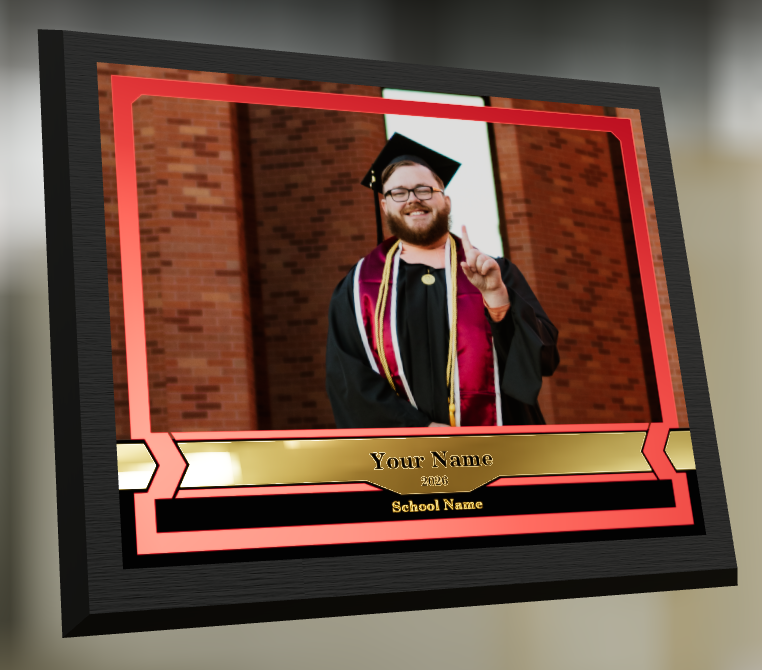
🎓 Graduation Plaque now supports a new horizontal design
- • 🔄 Customers can switch orientations during the live 3D render
- • 🖼️ Updated 2D render support included as well
🪧 Premium Plaque now supports a horizontal design
- 🔄 Orientation can be switched during the live 3D render
🖨️ Premium Print now supports a horizontal design
- 🔄 Orientation can be switched during the live 3D render
✍️ Caption preview fix: Premium Print/Plaque now correctly reflect the default “Line 2” in the 3D render before a shopper enters their own text
These updates make it easier to sell premium products even when the “best” shot isn’t a perfect vertical crop. ✅

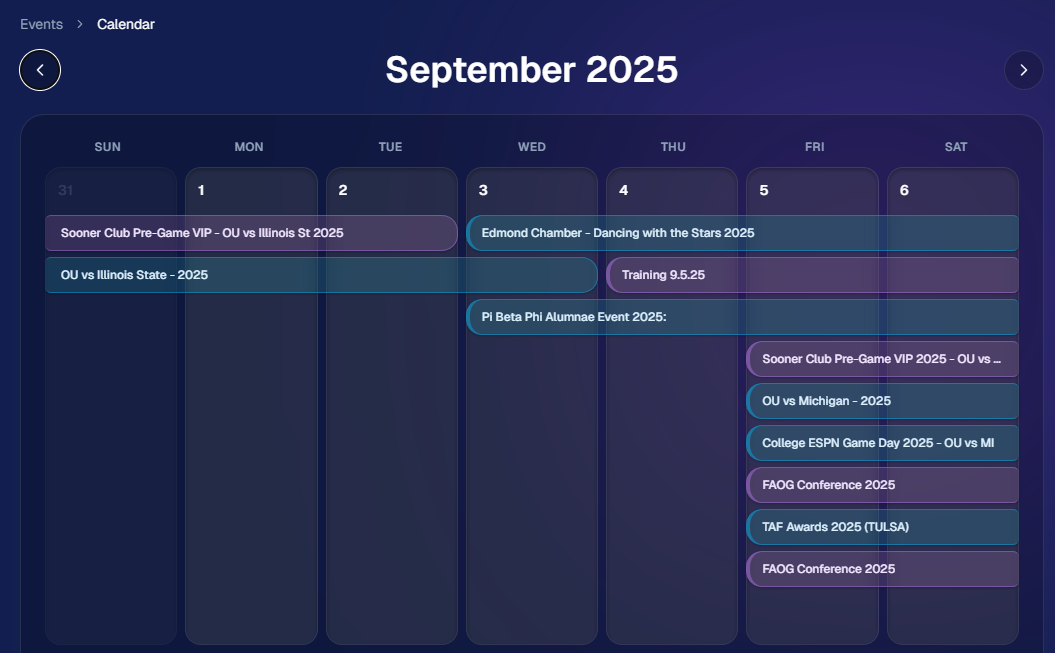
📅 New Dashboard Event Calendar View
Prefer a more visual way to plan and review your schedule?
🗓️ Event Calendar is now available via the calendar button on the Event List page
👀 Great for spotting what’s coming up at a glance, instead of scanning a long list
🌀 LiveLoop™: PhotoTag Links
LiveLoop™ just got more flexible:
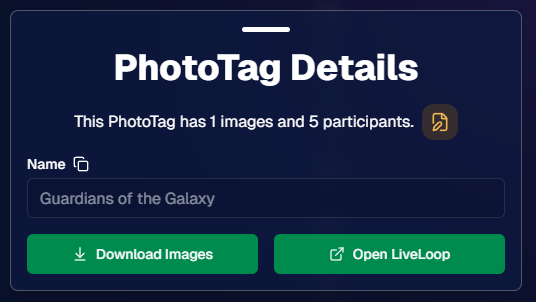
🏷️ PhotoTags now have LiveLoop links
- • Found in a couple places on the PhotoTag page in the Dashboard
- • Pulls in new images automatically, just like a normal LiveLoop™
🧾 Cleaner titles & history
- • LiveLoop page now shows the Event name in the title bar, history, and links
- • PhotoTag links show as: PhotoTagName – EventName
Perfect for running separate slideshows per team, division, day, or group without juggling multiple Events. ✨
🖥️ Dashboard Improvements
🧹 New “Clear” button in Manage Images select mode (clear selections without re-entering select mode)
📋 PhotoRoster uploads improved:
- • 📞 Additional phone columns now ignore parentheses (like main phone)
- • 🔀 Columns can be in any order (matching Event roster upload behavior)
🔗 Fixed Image Details lightbox link for images manually removed on Participant Details
🧾 Positive ID Code PDF sorting updated:
- • A–Z participants with no PhotoTag
- • Then PhotoTags A–Z (participants A–Z inside each)
- • Then blank cards at the end
🛍️ Retail & Check-In Updates
🚫 Invisible Events are now truly inaccessible
- • If an Event is marked invisible, its retail site + check-in pages now show an “Event is no longer available” screen
🌎 Positive ID check-in phone formatting helper
- • If an existing registration code has a phone without “+”, we’ll append “+1” to default to US country format (unless it already starts with “+” for another country)
🧩 Fixed a retail site crash when the Statuette Ornament was included in a package
🛡️ iPhone GalleryGuard now loads faster
🛠️ Misc Fixes & Improvements
🖨️ Backprinting updates for existing Events when your business info is updated (previously it was locked to whatever info existed when the Event was created)
✉️ Fixed a strange edge case where email-only participants wouldn’t send if another email in the queue contained “.@”
✅ Improved email validation across all web check-ins
That’s the week!
Between horizontal premium product designs, PhotoTag-level LiveLoops™, and a Calendar view for Events, you’ve got a lot more control over how things look and how you run the day. 💫
Keep creating magic,
Candy 🍬