Weekly Recap: Faster Virtual Group Creation, New Candy Image Studio Tools & Capture App 5.7 Updates ✨📸

Hey photo friends! 👋
Candy here with another weekly recap! This week brings some great upgrades to Virtual Group Builder, new Candy Image Studio tools, better Docs search, and a solid Capture App update with helpful color profile and PhotoTag improvements.
Let’s take a look!
🧑🤝🧑 Virtual Group Builder Improvements
Virtual Group Builder got a nice set of workflow upgrades this week:
🏷️ Create Virtual Groups directly from PhotoTags
- On the PhotoTags page, click Create under the VGroup column to automatically start a new Virtual Group using participants from that PhotoTag. You’ll also get a popup asking whether to use each participant’s first or last cutout.
🚀 Save works-in-progress with placeholders
- You can now save changes to a Virtual Group even if some subjects still have spaceman placeholders.
- All subjects still need a selected photo before uploading the finished Virtual Group to the Event.
🖼️ Overlay uploads can now be named
- When uploading overlays, you can name them so they’re easier to search and find later.
🔤 More control over subject name styling
- Title Case is now only applied on import, meaning you can use the subject inspector to customize name casing afterward.
📐 New text display option
- There’s a new Display setting to disable justified text.
🌫️ Bottom Vignette improvements
- Bottom Vignette rendering has been reworked for better results.
🔎 More flexible scaling
- Max global scale is now 200%.
🎨 Candy Image Studio: New Editing Nodes
Candy Image Studio has two new tools to help clean up common image issues:
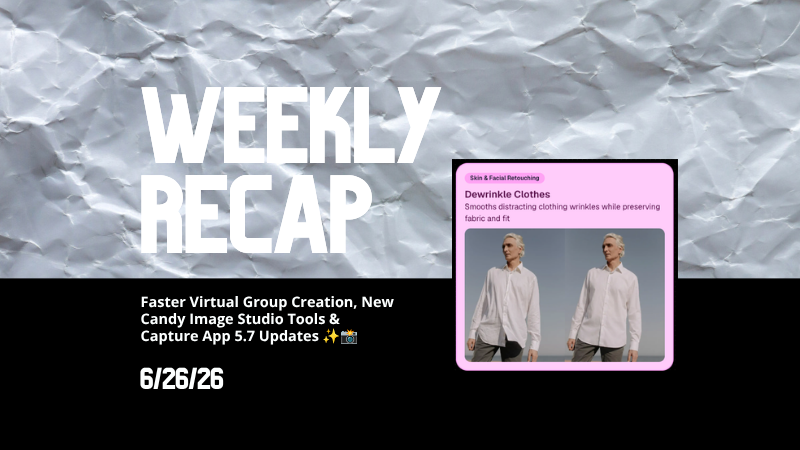
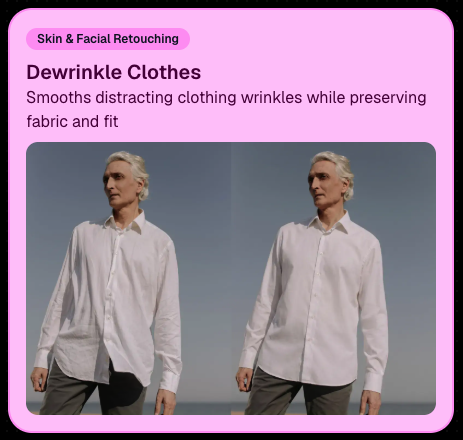
👔 Dewrinkle Clothes
- Helps smooth distracting clothing wrinkles while keeping the image natural.
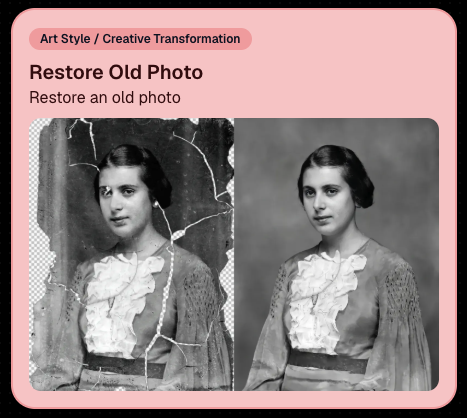
🖼️ Restore Old Photo
- A new restoration-style node for improving older or damaged images.
📱 Capture App 5.7 Updates
App Store update released Monday, June 22
Capture App 5.7 includes some meaningful workflow and compatibility improvements:
🎨 Automatic sRGB conversion
- If an image is detected as non-sRGB, the app will now try to automatically convert it to sRGB. If it can’t, you’ll still get the existing invalid color profile warning.
- This can be especially useful for black-and-white shooting modes that output a different color profile. That said, we still recommend shooting in sRGB whenever possible, since conversion can cause some color loss and may use extra battery during long sessions.
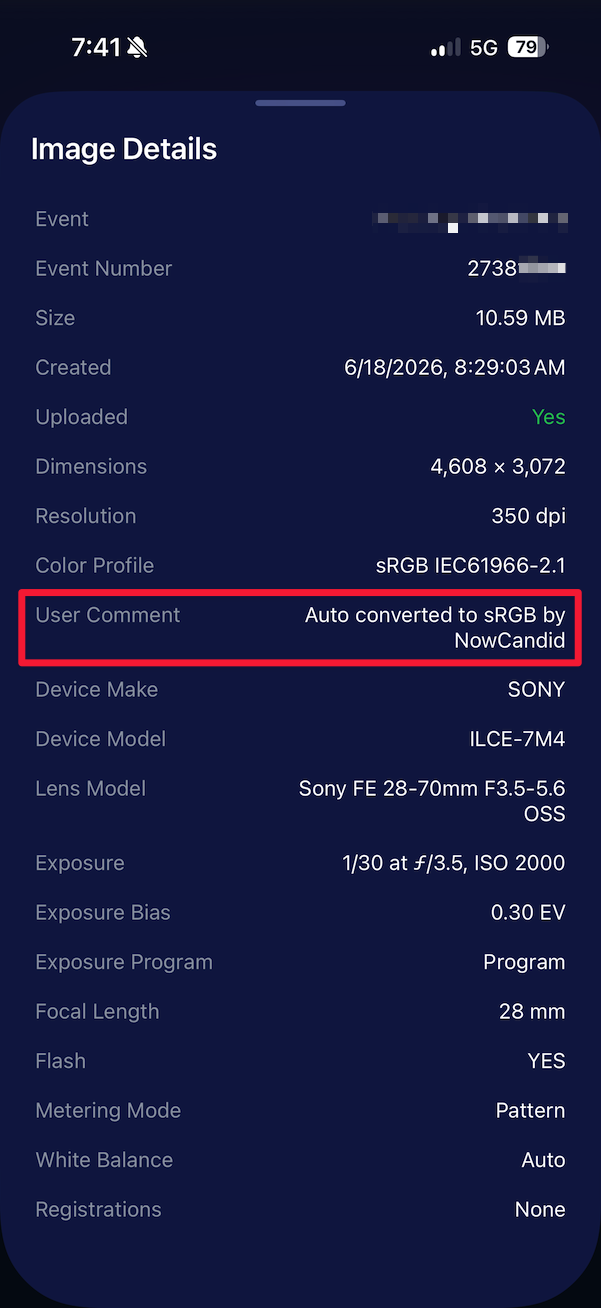
🧾 User Comment shown in EXIF details
- The image gallery details popup now shows EXIF User Comment data, including whether an image was auto-converted to sRGB.
✂️ BGR visibility sync
- Visibility changes in BGR folders now affect the cutout too. Mark the original hidden, and the cutout will hide; mark it visible again, and the cutout becomes visible as well.
🏢 Business logo support
- Your business/profile logo now appears in the Capture App header when available, and can replace Candy in Photo Booth.
⚙️ Contact collection settings moved
- Number, email, and name collection settings now live on the Event Overview instead of the Event login sheet, so you don’t need to re-log to change them.
🏷️ Event picker shows PhotoTag attribute
- If an Event has PhotoTags, the Event picker now makes that easier to spot.
📱 Android UI fixes
- Fixed several label cutoff issues for Android users with Bold Text enabled.
🔁 Restore Session fix
- PhotoTags now load properly when an Event is opened through Restore Session.
🎨 Adobe RGB handling fixed on Android
- Android devices will no longer incorrectly accept Adobe RGB images from cameras.
🍎 iOS 27 support tested
- iOS 27 has been tested, and no issues were found. The app also respects the latest Liquid Glass device settings.
- If you update your device to a beta version of iOS 27, let us know if you experience issues!
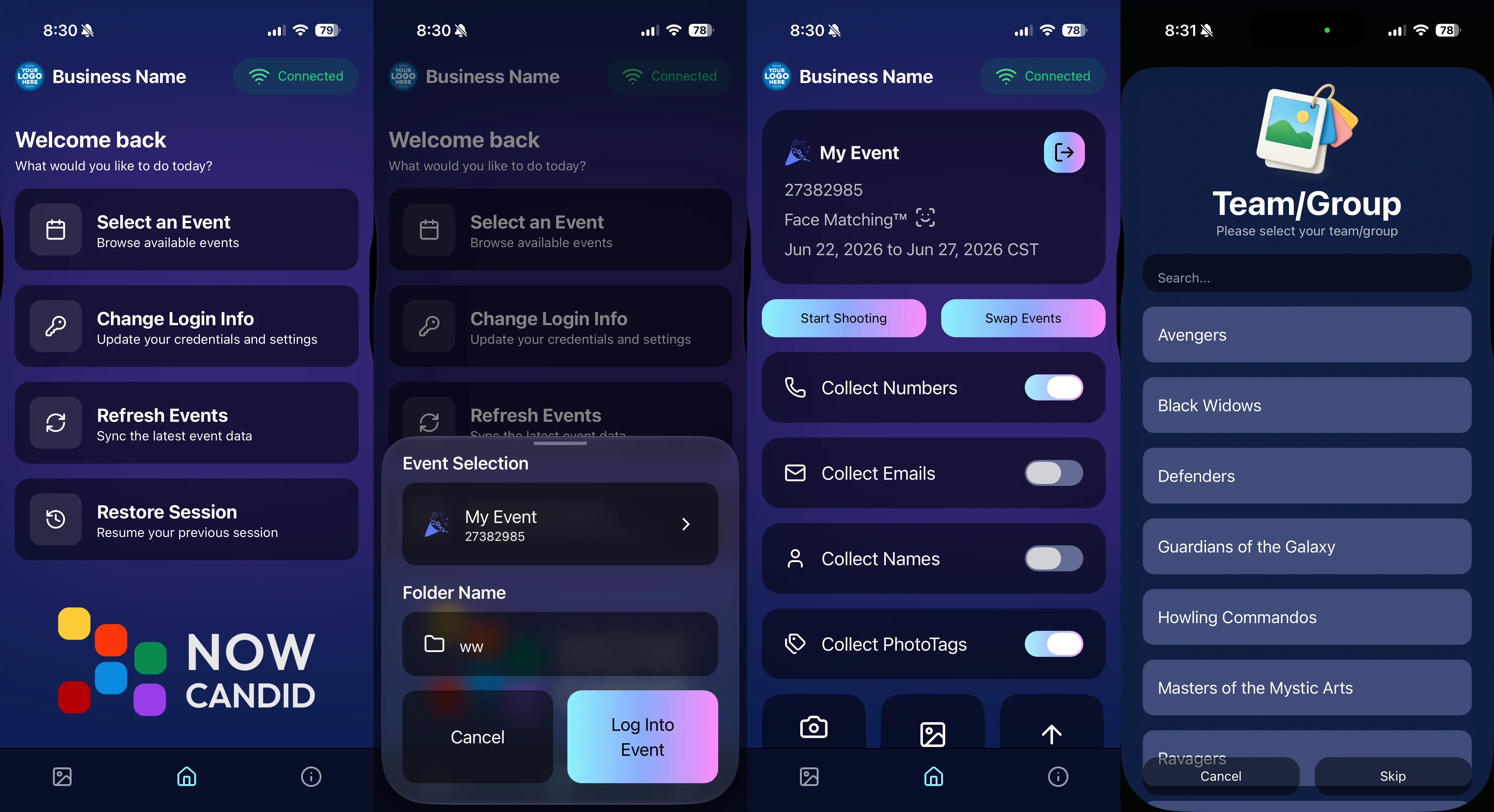
🏷️ Collect PhotoTags during check-in
- Participants can now select their own PhotoTag, such as team name, before entering contact information. This option appears when the Event has PhotoTags.
- We added this primarily to assist photographers in easily tagging late additions not on a roster that show up to a photoshoot, but there will be additional features for action photography in next week's update!
📱 Capture App 5.7.1
OTA update released Friday, June 26
🛠️ Miscellaneous UI fixes
- A small OTA update with additional interface polish and cleanup.
🖥️ Dashboard Improvements
🔎 Docs Search is here
- Click Search on the Docs page to search NowCandid documentation, with Candy navigation agent support.
📂 PhotoRoster image name cleanup
- PhotoRoster data file uploads and image uploads now automatically remove spaces and certain special characters from image names.
🖼️ Full-frame overlay previews are downloadable
- In the Image Overlay Editor, full-frame example render previews can now be downloaded just like banner previews.
🛍️ Retail Update
🪟 Better desktop popup behavior
- On desktop, retail popups now automatically become scrollable if the popup is taller than the viewport height, matching Dashboard behavior.
📣 Marketing Fix
✉️ Email campaigns fixed for email-only PhotoRoster participants
- Fixed an edge case where email-only PhotoRoster participants were not having their email campaigns start.
That’s the week!
From faster Virtual Group setup to better PhotoTag collection in the Capture App, these changes should help make your Event workflows more flexible and easier to manage.
Keep creating magic,
Candy 🍬