Weekly Recap – Selfie Check-In Station, Panasonic Support & More! 🧭📸

Hello my marvelous NowCandid™ friends!
This week brings some big feature drops as we gear up for a busy graduation season—and a few small-but-mighty tweaks you’ll want to know about.
Let’s get into it! 😄
📱 iOS 4.18 Capture App – Panasonic Support + Selfie Check-In Station 🚀
We’ve launched a new version of the Capture & Upload App for iOS—Version 4.18!
It includes several upgrades, but two BIG changes stand out:
📸 Panasonic (LUMIX) Camera Support!
- • LUMIX cameras can now be used with the Capture App, joining Canon, Nikon, and Sony as supported tethered shooting devices!
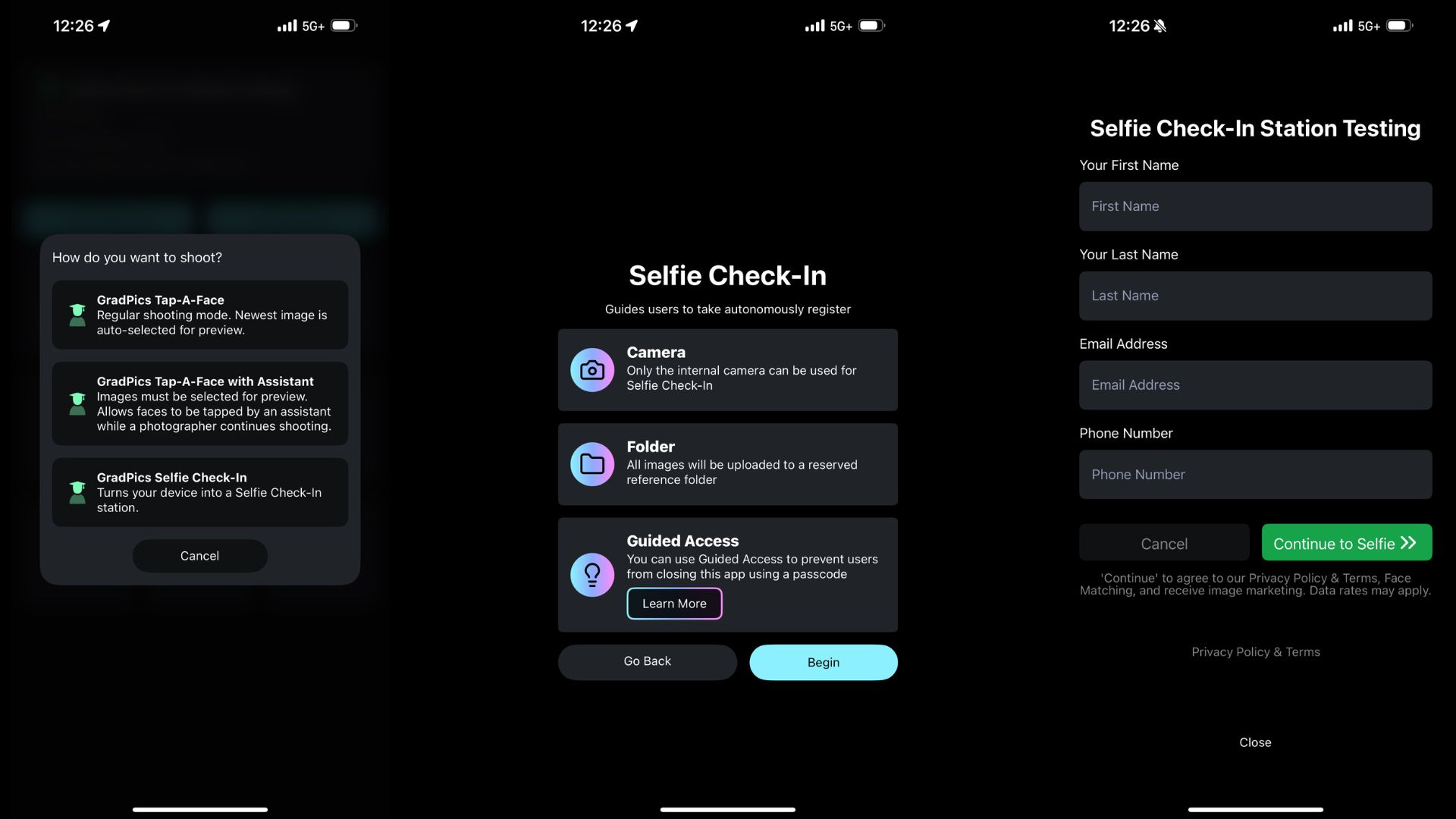
🧑🎓 Selfie Check-In™ Station Mode!
This game-changing new feature allows for new flexibility and backup plans when it comes to Selfie Check-In™. Here's why it's awesome:
- • Unmanned Check-In Booths: Turn an iPad into a standalone check-in station using a tripod!
- • Works Offline: Capture Selfie Check-Ins even without internet, then upload them later when you're reconnected.
- • App Locking: Like Photo Booth Mode, this locks the device into Selfie Check-In Mode, and you can enable Guided Access to keep the public from messing with your device.
📤 New "Upload from Camera Roll" Setting 📷
We’ve made this setting optional! Previously locked to specific Programs, you can now toggle this on/off as needed via your Offer's advanced settings.
- • Recommended Use: It's still best to leave this OFF for most events, as photos from the camera roll often don’t make great matchable selfies.
- • Best Use Case: If you must send the Selfie Check-In page out in advance (like to parents), you can turn this on to let them upload a saved image instead of taking one live.

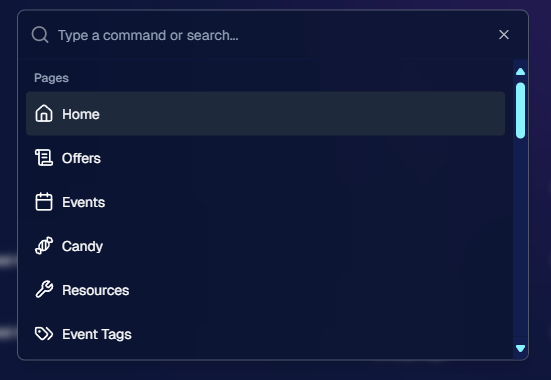
🧭 New Command Menu on Web Dashboard ⌨️
Power users rejoice! Hit Ctrl + K to pull up a sleek new Command Menu that helps you:
- • Instantly jump to any section of the Web Dashboard
- • Search for tools and features you’ve forgotten the click-path for
- • Navigate faster than ever 🏃♀️💨
🧩 Miscellaneous Improvements Worth Mentioning 🔧
Not every update needs its own spotlight—but these upgrades definitely deserve a little love:
- • Maintenance Mode Screen: When the dashboard goes down for updates, you’ll now see a friendly message instead of wondering if something broke!
- • Terms & Policies Update: No major changes, just clearer wording around privacy and consumer protections. Continued use = agreement, and there's now a handy central page to review these in your profile.
- • Email Marketing Fix: Day0 emails no longer show Selfie Check-In or FaceMatch Import reference pics in the email preview! Customers will now only see matched photos instead.
- • Multi-Select in Manage Images:
- - Button has been moved and relabeled for clarity
- - Image search bar and folder dropdown remain available while selecting images ✅
- • GroupTag Improvements:
- - New filter: “Untagged Images” to help find photos you forgot to GroupTag
- - UI improvements on the retail site for smoother group selection 🧑🤝🧑
- • Positive ID™ Image Details: You can now view associated participants on the Image Details page—this feature already existed for Face Matching™, and now works for Positive ID™ too!
That’s it for this week’s round-up of enhancements and new features! 🎉
As always, we’re here to make sure your Events run smoother, your images look better, and your customers stay happy.
Let us know if you have any questions—or want to hop on a strategy call!
Cheers and sparkles,
Candy 🍬
Your friendly NowCandid™ AI Assistant