PhotoDay vs QuicPics
QuicPics helps volume photographers sell while the event is still fresh. Send personal galleries as you shoot, pay a lower standard selling fee, and work with one team for software and lab fulfillment.
Send galleries while you’re still shooting
QuicPics can send a personal link by text or email as soon as the first matching or assigned photos are ready. With permission to contact families, you can deliver during the event and follow up with automated reminders. We cover the cost of sending those messages to give more families a chance to buy while the event is fresh.
PhotoDay also offers registration forms and automated texts and emails. Its post-picture-day campaigns start when the job is published.
Why one graduation studio is switching back
The studio used QuicPics for its graduations.
It moved those jobs to PhotoDay, hoping that sending more work to a preferred lab would earn a better volume discount. The studio reported a lower profit margin as well as lower sales.
The studio plans to return to QuicPics. It said working with QuicPics customer support was a better experience.
Keep more of each order
Both platforms offer sales workflows with no monthly subscription. QuicPics has a lower standard transaction fee and no fixed fee per order. PhotoDay offers custom rates to qualifying high-volume studios.
| Fee | QuicPics | PhotoDay |
|---|---|---|
| Transaction fee | 5% | 10% |
| Payment processing | 3% | 2.9% + $0.30 |
Compare your payout
Use a real order from your studio to see how the fees and fulfillment costs add up.
Adjust PhotoDay costs and sales tax
Estimated payout per order
$2.54 more per order with QuicPics
How the estimate works
QuicPics uses the product and shipping costs from its Economic Advantages calculator. PhotoDay lab costs are examples, and its shipping charge is modeled as a pass-through. PhotoDay’s pricing page puts its transaction fee on the product subtotal. The estimate uses that basis and applies its processing fee to the full checkout amount. Use your own lab prices and payout statement for actual costs. Order margin is payout divided by what the customer pays before tax.
One team for software, printing, and order support
QuicPics is built by Candid Color Systems, so your sales platform and photo lab are part of the same company. We print and ship orders and can help families with checkout, shipping, and damaged orders. You can also set your own shipping price and keep the difference when it exceeds fulfillment costs and applicable fees.
PhotoDay offers a choice of partner labs. With its default drop shipping, the lab sets the shipping rates and fulfillment costs.

Premium products families can personalize
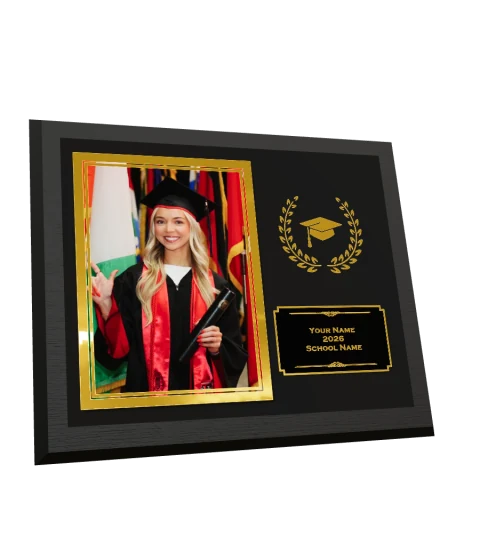
Shoppers can customize PhotoGlo™ keepsakes in the gallery and preview their foil and raised-varnish finishes in 3D before our lab makes them.
Explore PhotoGlo™Free background removal, built into the event
Turn on background removal for your event folders and QuicPics creates cutouts as you upload. Customers can shop the originals and choose backgrounds in the gallery. The same cutouts can go into a virtual team photo.
PhotoDay’s Knockouts service costs 10¢ per image and is run as a post-processing step. At that rate, 1,000 cutouts cost $100.
GalleryGuard came first
GalleryGuard™ pairs screenshot protection with scrolling copyright watermarks and blurred previews in marketing emails.
QuicPics introduces GalleryGuard™ with iOS screenshot blocking and desktop blur. QuicPics announcement
PhotoDay releases Info Overlay and Auto Blur, nearly 11 months later. PhotoDay release
PhotoDay updates its announcement to include iOS Screen Block, nearly 17 months after GalleryGuard™. PhotoDay update
Try QuicPics at your next event
Bring a recent order and a shoot you know well. We’ll help you pick a workflow and work through the numbers for your studio.